
Shopify Automatic Discounts Not Working? Fix the Common Causes
Use this Shopify automatic discount troubleshooting checklist to fix combination conflicts, inactive discounts, date windows, product eligibility, customer rules, and free gift setup.
When Shopify automatic discounts are not working, the cause is usually not mysterious. The cart does not qualify, the discount is inactive, combinations are disabled, the date window is wrong, a product is excluded, a customer or market rule blocks the offer, or another discount app is changing the same cart.
This checklist helps teams find the issue before support tickets pile up. It applies to native Shopify discounts and app-powered automatic discounts. If you are rebuilding the workflow in one place, start with AIOD's Shopify automatic discount app page.
Quick checklist: what to check first
- Confirm the discount is active, not expired, and inside the correct start and end date window.
- Build a cart that clearly meets the rule before testing edge cases.
- Check whether combination settings are enabled on every discount that needs to stack.
- Confirm the customer, market, product, collection, purchase type, and subscription rules match the cart.
- Check whether the reward product for a free gift, BOGO, or BXGY offer is available and eligible.
- Disable overlapping discount apps temporarily to isolate conflicts.
- For free gifts or storefront messages, confirm the theme app extension or widget is saved and enabled.
First check whether the cart actually qualifies
Most discount failures are eligibility failures. Check the exact cart value, product quantity, customer segment, market, and product collection before assuming Shopify or an app is broken.
- Confirm the cart meets the minimum spend or quantity rule after any earlier product discounts apply.
- Confirm the required products or collections are in the cart.
- Confirm excluded products are not the only qualifying items.
- Confirm inventory is available for the product receiving the discount or gift.
- Confirm the purchase type matches the rule, especially one-time purchases versus subscriptions.
Check whether the discount is inactive or outside its date window
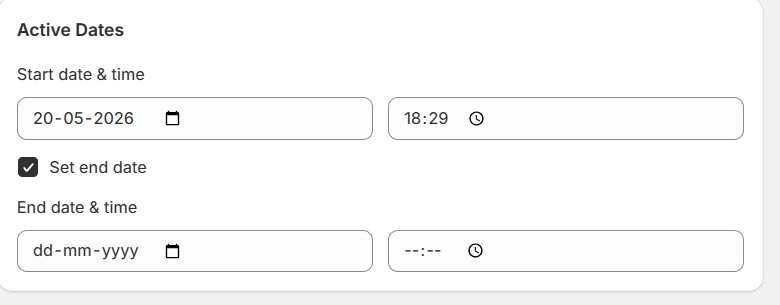
This is the boring culprit, which is exactly why it is worth checking early. A discount can look correct but still fail because it is saved as inactive, scheduled for a future date, already expired, or using a timezone that does not match the launch plan.

Before changing rule logic, open the discount and verify the status, start date, end date, and any schedule attached to the campaign.
Check discount combinations
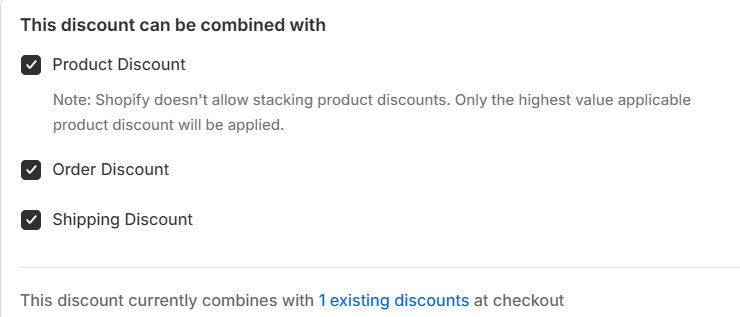
A discount may be valid on its own but blocked by another active discount. Shopify discount combinations depend on the discount classes involved: product, order, and shipping. Each discount that should stack needs the right combination setting enabled.
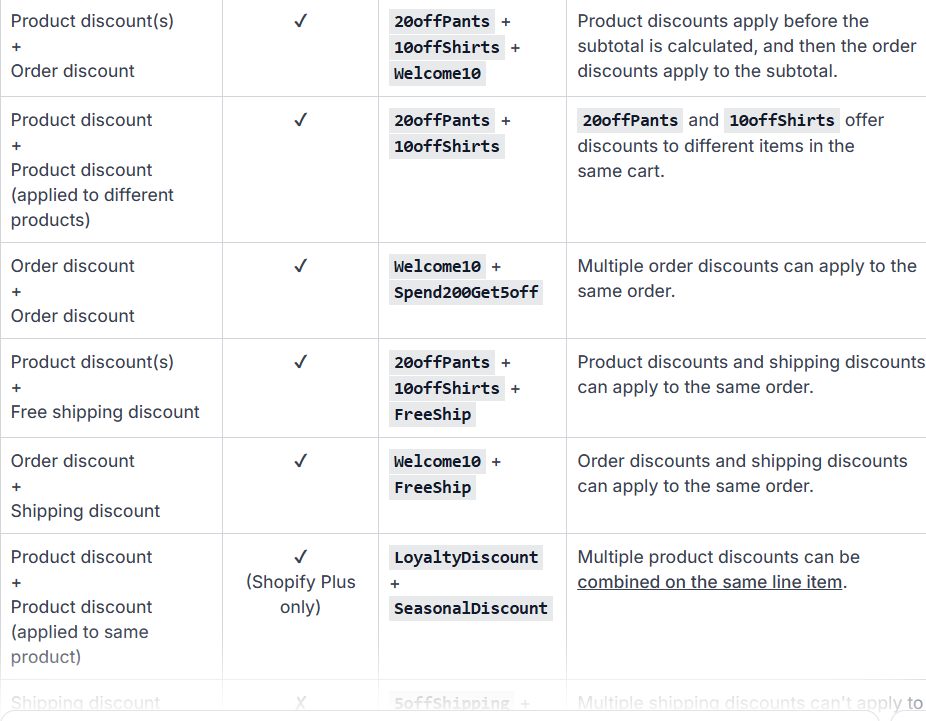
Shopify's own discount combination guidance explains that product discounts apply before order discounts, and shipping discounts apply last. That order matters because a product markdown can change the subtotal used by an order discount or shipping threshold.
If a product discount, order discount, and shipping discount are all active, the team needs to know which classes can combine and which offer should win. The dedicated guide to Shopify discount combinations explains the common stack rules.
| Conflict to test | Why it breaks | What to do |
|---|---|---|
| Product discount + another product discount on the same item | Same-line product discount stacking depends on Shopify plan and combination support. | Apply product discounts to separate items, or use one combined promotion rule when possible. |
| Order discount after a product markdown | The order subtotal can change after the product discount is applied. | Test threshold carts after product discounts, not only before discounts. |
| Shipping discount + shipping discount | Multiple shipping discounts cannot apply to the same order. | Use one shipping offer, or combine product/order incentives with a single shipping incentive. |
| Automatic discount + discount code | Both discounts must be allowed to combine with each other's class. | Open both discounts and enable the needed combination classes. |
Check Shopify's automatic discount limit
Shopify has a platform limit of 25 active automatic discounts, including app-based automatic discounts. This is a Shopify automatic-discount limit, not an AIOD-specific limit. Manual code-based discounts are separate and can be created in much larger volume.
If a store has many seasonal rules, archive inactive automatic discounts before launch. Keep always-on campaigns separate from temporary sale campaigns so the active automatic discount count stays understandable.
Check whether the threshold changed after markdowns
A shopper may think they reached a spend threshold before a product discount applies. After the product markdown, the cart subtotal can fall below the order-discount or free-shipping threshold.
This is common with bundle discounts and volume offers. Test the exact cart states your shoppers will create, especially carts that are close to a threshold.
Check whether two apps are targeting the same cart
Separate apps often create separate promotion logic. One app may control bundles, another may control gifts, and another may control automatic discount codes. The result can be a cart that is technically eligible for several offers but cannot show the expected result.
If this keeps happening, use the multiple discount app replacement playbook and consolidate the recurring rules into one promotion engine.
Check customer tags, markets, and purchase type
Customer and market eligibility failures can feel invisible from the storefront. A VIP-only offer will not apply to a logged-out shopper. A market-specific promotion will not apply when the cart is being tested from another region. A subscription-only discount will not apply to a one-time purchase line item.
Test the rule with a known qualifying customer account, a known non-qualifying account, and the exact market or purchase type used in the campaign. If both behave the same way, the eligibility rule is probably not the only problem.
Check gift and BOGO edge cases
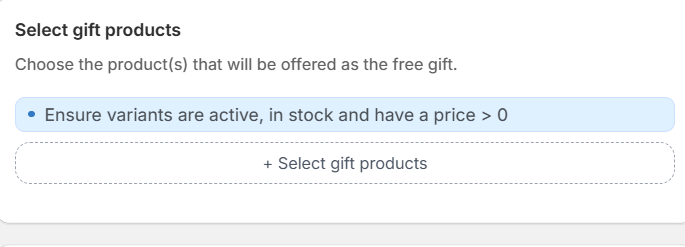
Buy X Get Y and free gift campaigns can fail when the reward product is unavailable, excluded, already discounted, or not present in the cart. Gift campaigns also need clear cart messaging so shoppers know what to add before checkout.
For free gift campaigns, also check storefront setup. If the discount logic works at checkout but the shopper does not see the gift prompt, cart message, or product-page callout, the storefront widget or theme app extension may not be saved or enabled.
If the campaign depends on gifts, review the Shopify free gift with purchase workflow before launch.
Use this QA sequence before going live
- Test a cart that should qualify for the discount.
- Test a cart that misses the threshold by a small amount.
- Test sale products, subscriptions, and excluded collections.
- Test a cart that qualifies for multiple active discounts.
- Test logged-in, logged-out, VIP, and non-VIP customer states.
- Test mobile cart, cart drawer, checkout, and post-checkout expectations.
How AIOD helps prevent these issues
AIOD gives teams one place to manage automatic discounts, gifts, BOGO, volume tiers, exclusions, scheduling, and stack-safe combination logic. That makes it easier to preview the expected result and explain the campaign before shoppers reach checkout.
AIOD also helps separate trigger products from reward products, which is important for offers like "buy from this collection, get a different product discounted" or "spend over a threshold, unlock a free gift." Keeping those conditions in one promotion engine reduces the chance that a second app or hidden exclusion changes the final cart.
For the broader planning model, read Shopify automatic discount rules next.